Leave Application Process
How to apply leaves.
The leave application process allows employees to formally request time off while ensuring transparency, proper documentation, and approval tracking. This structured workflow helps maintain smooth operations and ensures that leave requests are aligned with company policies.
User Leave Application Submission
- Access Leave Application Page: Employees can log in to the system and navigate to the dedicated leave application section.
- Submit Leave Request: Fill in required details such as leave type, start and end dates, duration, and reason for leave.
- Attach Supporting Documents (if required): Upload documents such as medical certificates, travel tickets, or other justifications.
- Automatic Routing to Approvers: Requests are forwarded to the designated manager(s) or HR team based on organizational hierarchy.
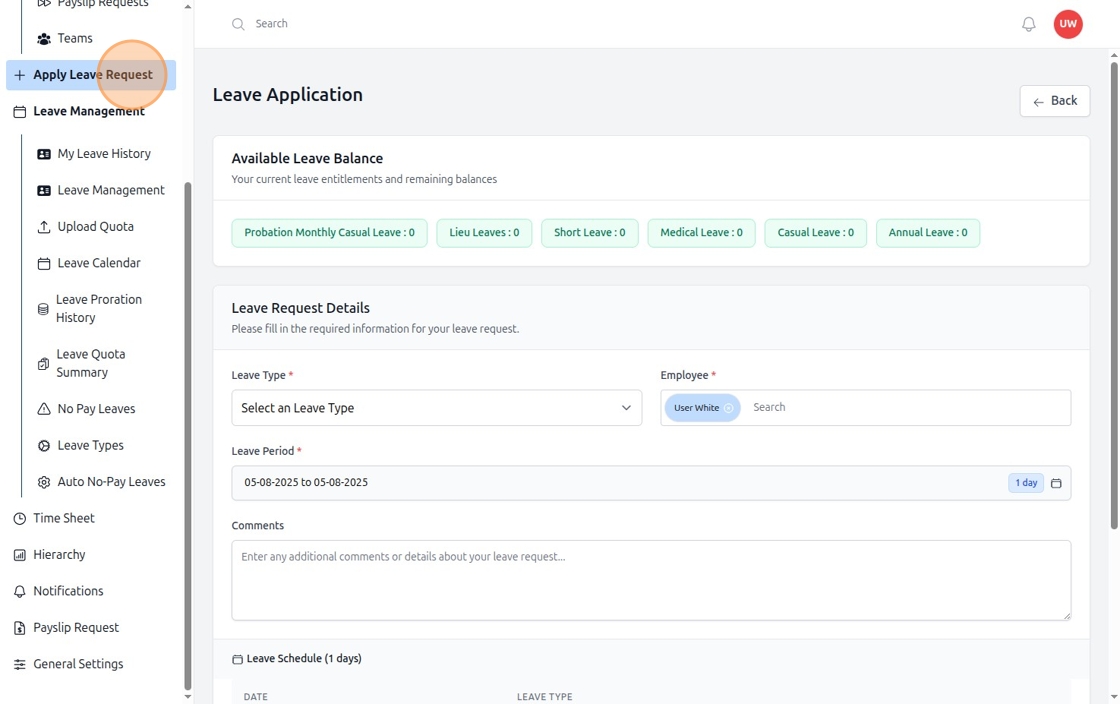
Figure: How to Attach Supporting Documents to Leave Requests (Step 1)
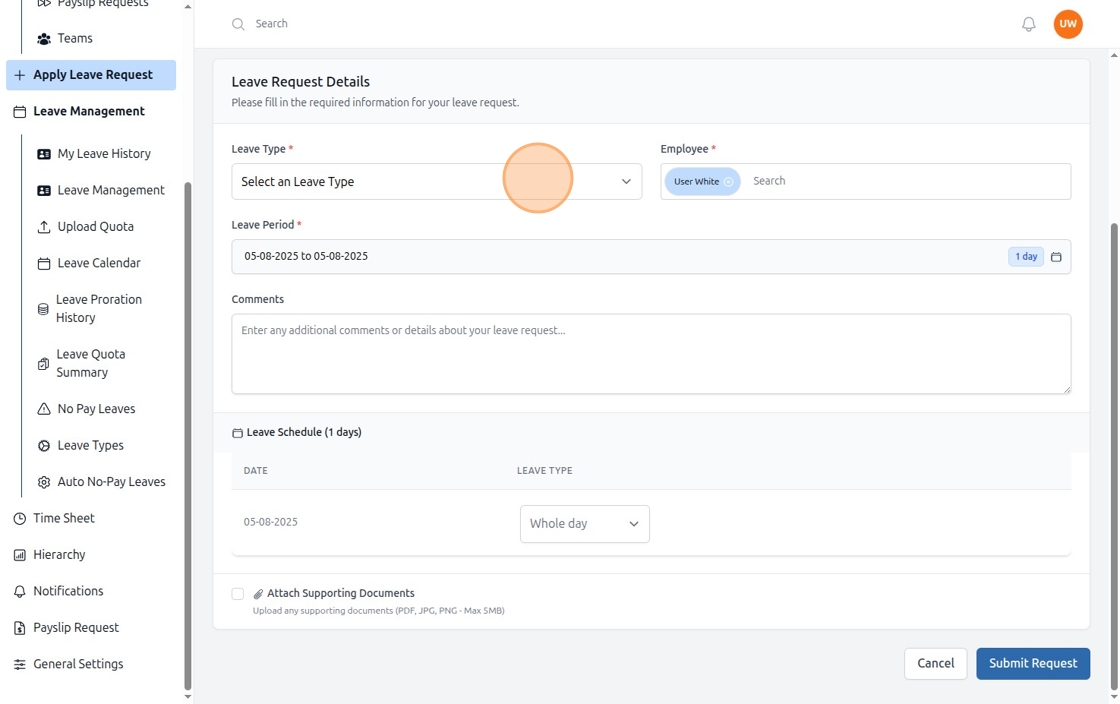
Figure: How to Attach Supporting Documents to Leave Requests (Step 2)
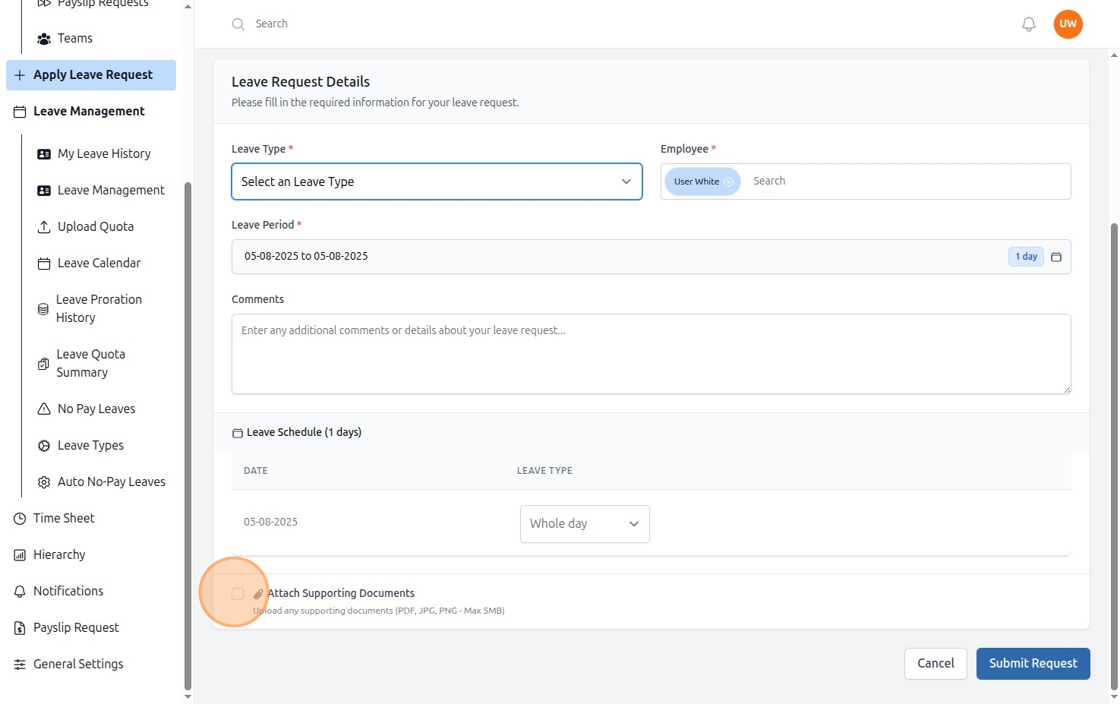
Figure: How to Attach Supporting Documents to Leave Requests (Step 3)