Leave Quota Administration
Efficient management of employee leave quotas is essential, especially when handling large teams or frequent policy updates. The system provides tools to simplify quota administration, reduce manual errors, and ensure consistency across the organization.
Bulk Quota Management
- Use the Excel upload feature to update leave quotas for multiple employees in one go.
- Perform bulk processing of quota changes during company-wide adjustments, such as annual policy revisions or mid-year corrections.
- Import quota data from Excel to the system for quick updates, ensuring accurate leave balances.
- Export quota data into Excel for reporting, auditing, and cross-checking against HR records.
- Ensure validation rules are applied during upload to prevent errors like duplicate entries or invalid quota values.
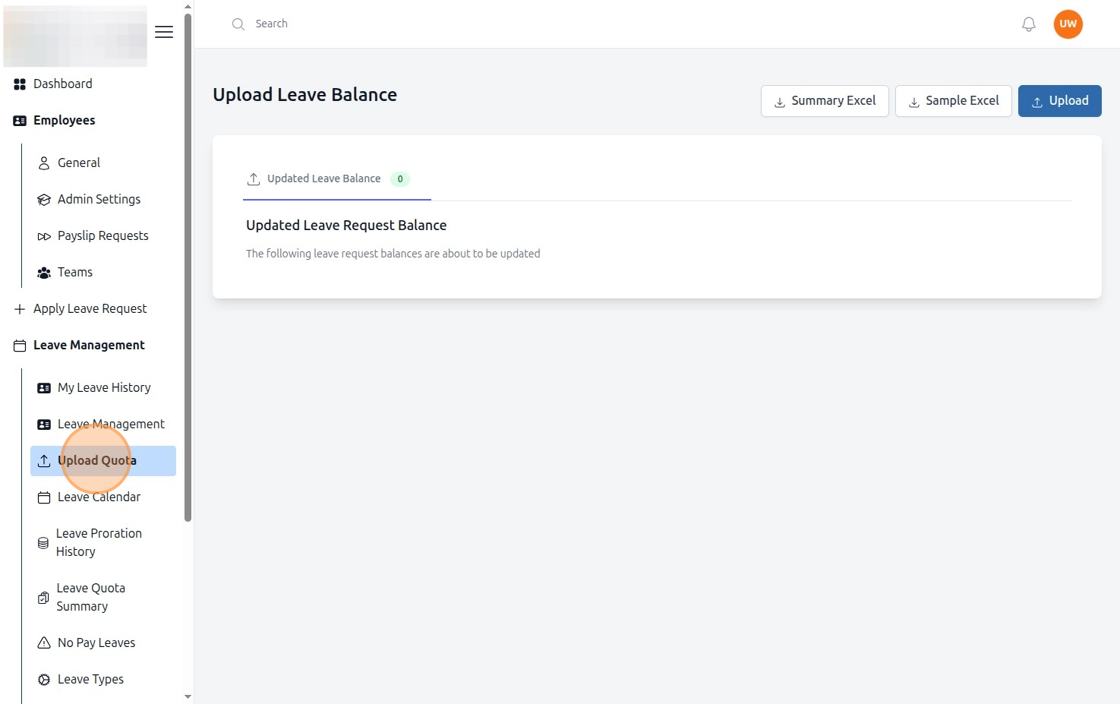
Figure: Upload Leave Quota (Step 1)
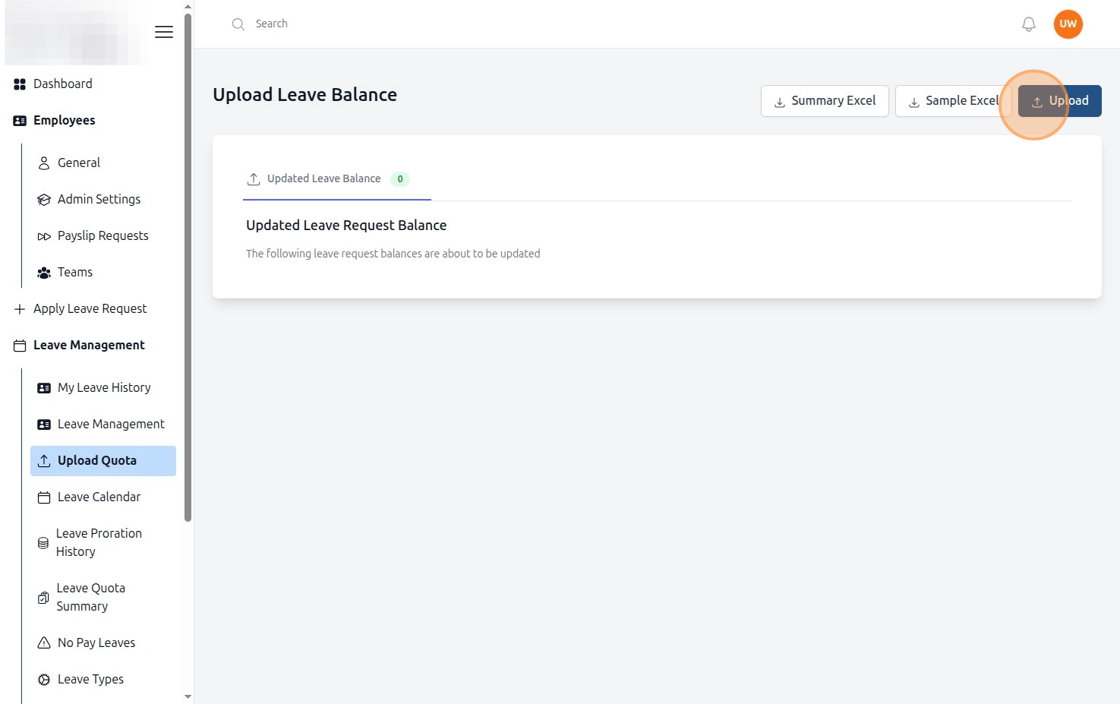
Figure: Upload Leave Quota (Step 2)
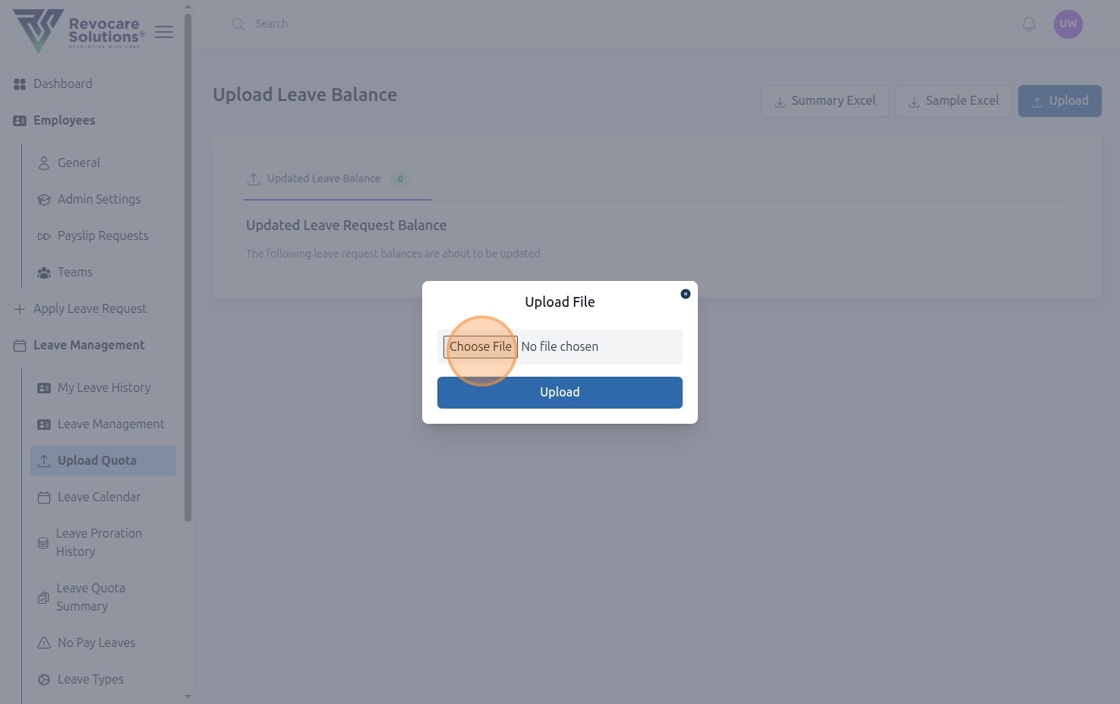
Figure: Upload Leave Quota (Step 3)
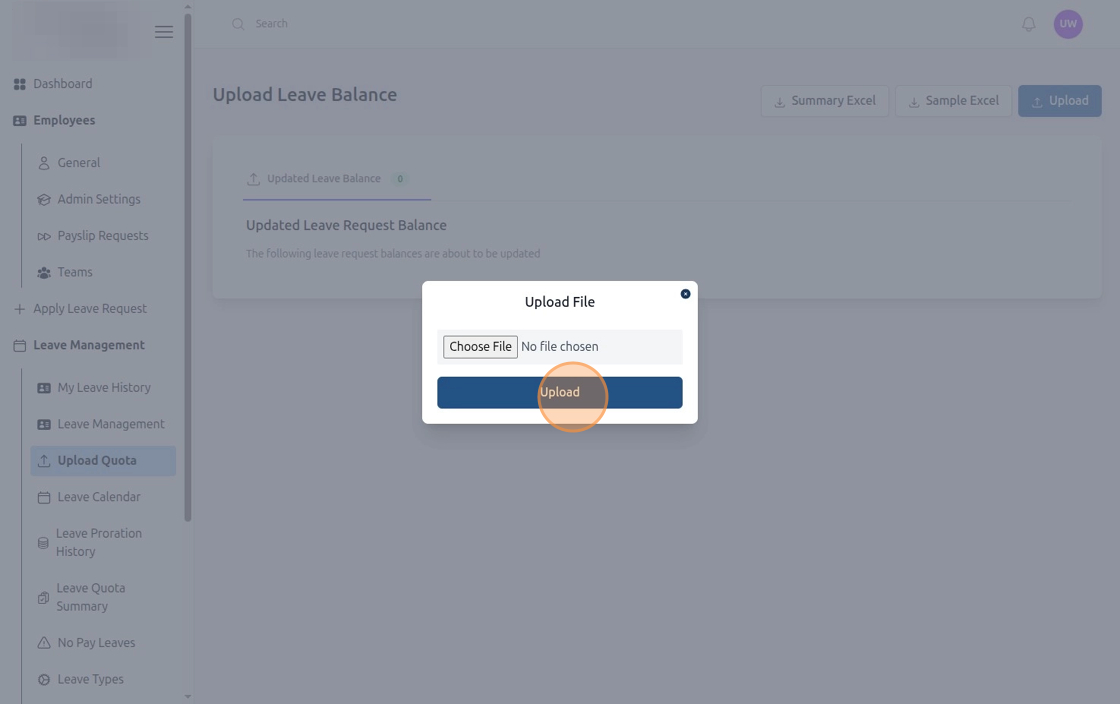
Figure: Upload Leave Quota (Step 4)
2.2 Leave Balance Operations and Reporting
- Upload Leave Balance Page: Use the upload interface to adjust or correct employee leave balances in bulk.
- Generate Leave Balance Summary: Export a consolidated leave balance summary in Excel format for easy review, reporting, or sharing with management.
- Export Current Quota Status: Retrieve the latest quota data for all employees to track usage, remaining balances, and pending leave requests.
- Process Bulk Balance Updates: Apply mass changes (e.g., annual reset, carry-forward adjustments, or mid-year corrections) efficiently without manual entry.
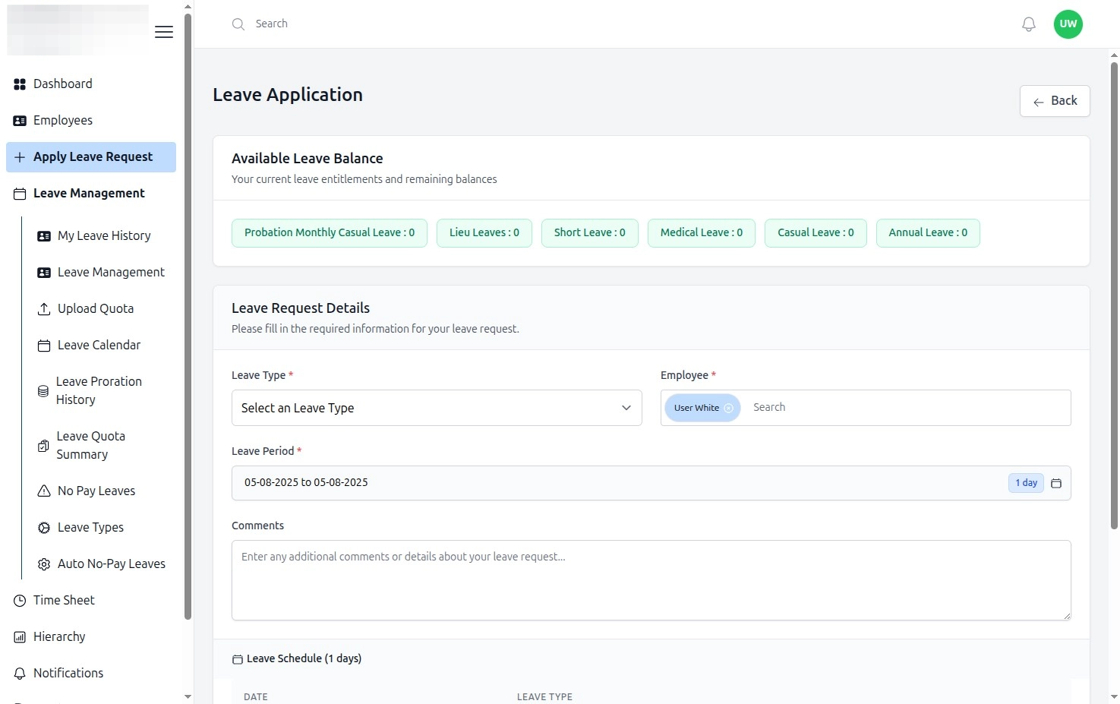
Figure: Leave History Page
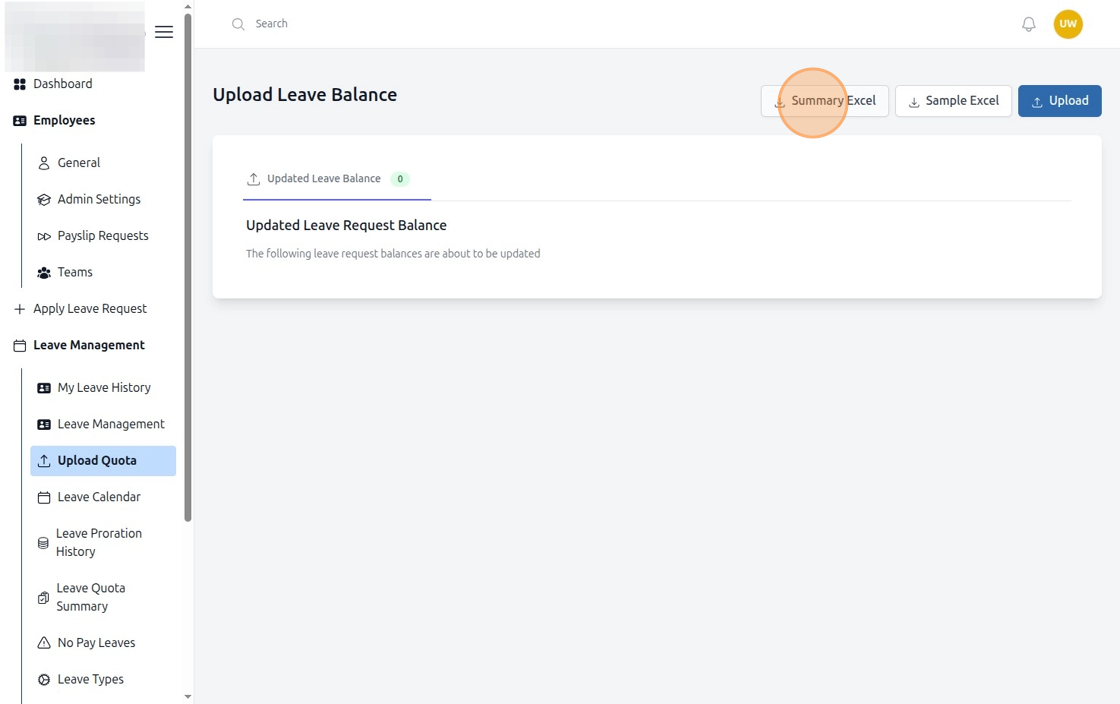
Figure: Upload Leave Quota (Step 5)