Leave Request Modifications and Adjustments
Employees may need to modify leave requests due to changing plans or unforeseen circumstances. The system allows for safe and controlled updates to leave requests while maintaining accurate leave balances and approval tracking.
User-Initiated Leave Request Changes
- Cancel Pending Leave: Cancel requests not yet processed; leave quota is restored automatically.
- Available only for requests not yet processed
- Withdraw Approved Leave: Withdraw already approved leave; quotas are updated accordingly.
- Withdraw already approved leave requestsUpdate leave quota accordingly
- Edit Leave Details: Modify dates or leave type before approval, if allowed by policy.
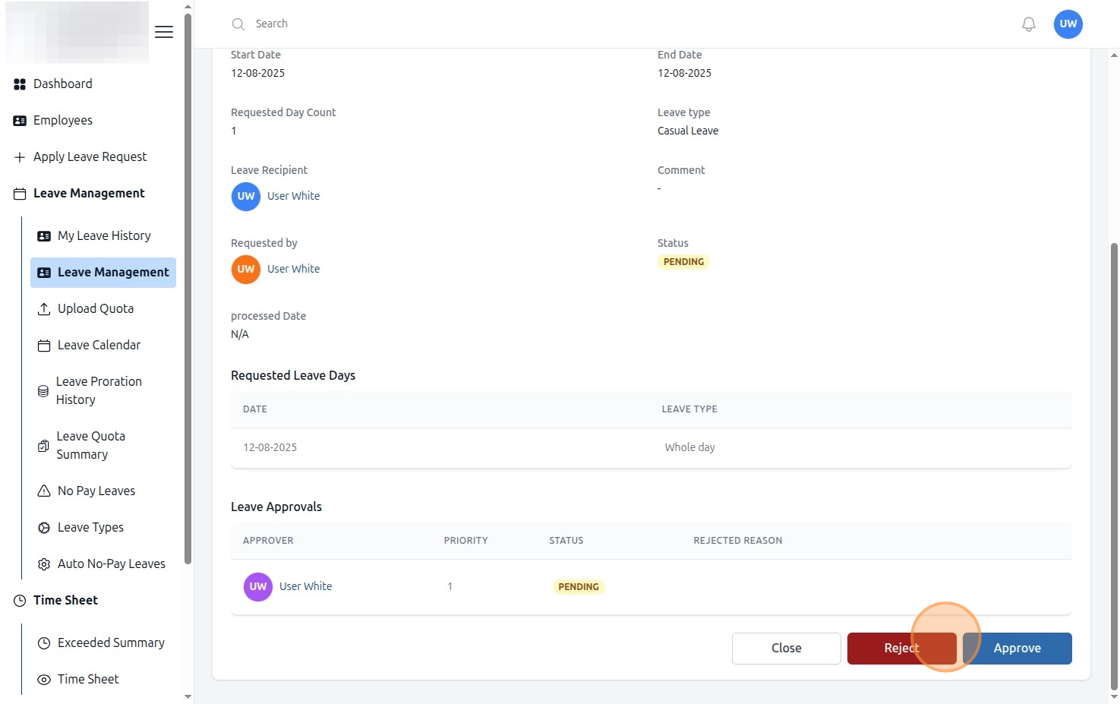
Figure: How to Reject and Withdraw Leave Requests (Step 1)
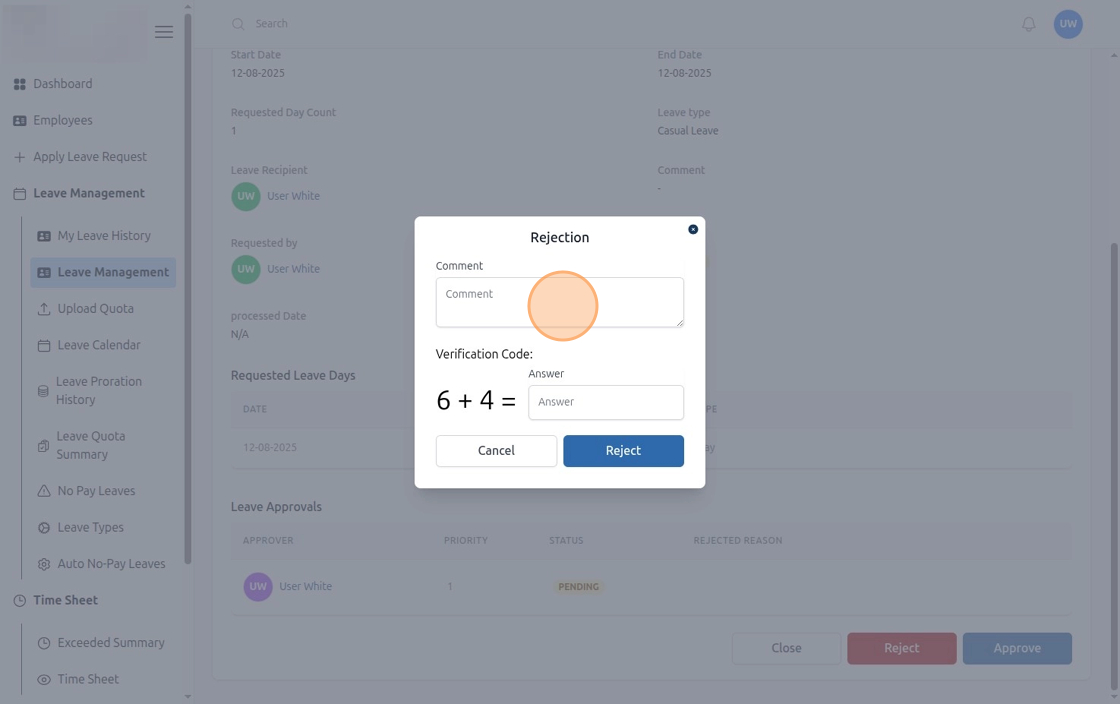
Figure: How to Reject and Withdraw Leave Requests (Step 2)
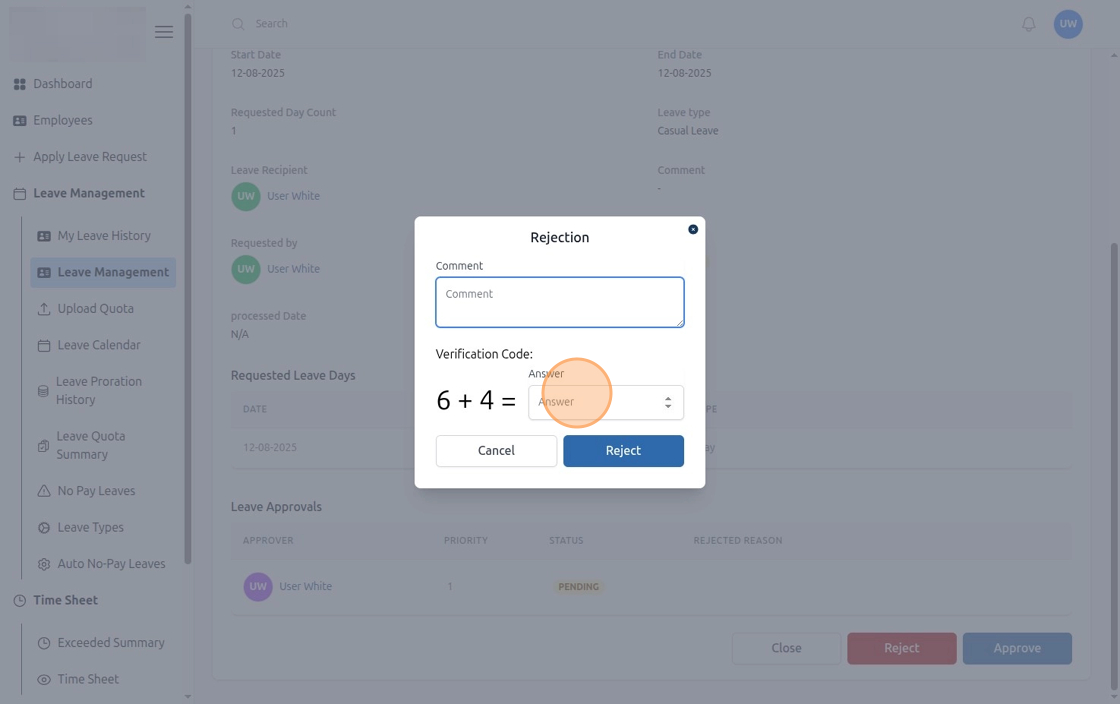
Figure: How to Reject and Withdraw Leave Requests (Step 3)
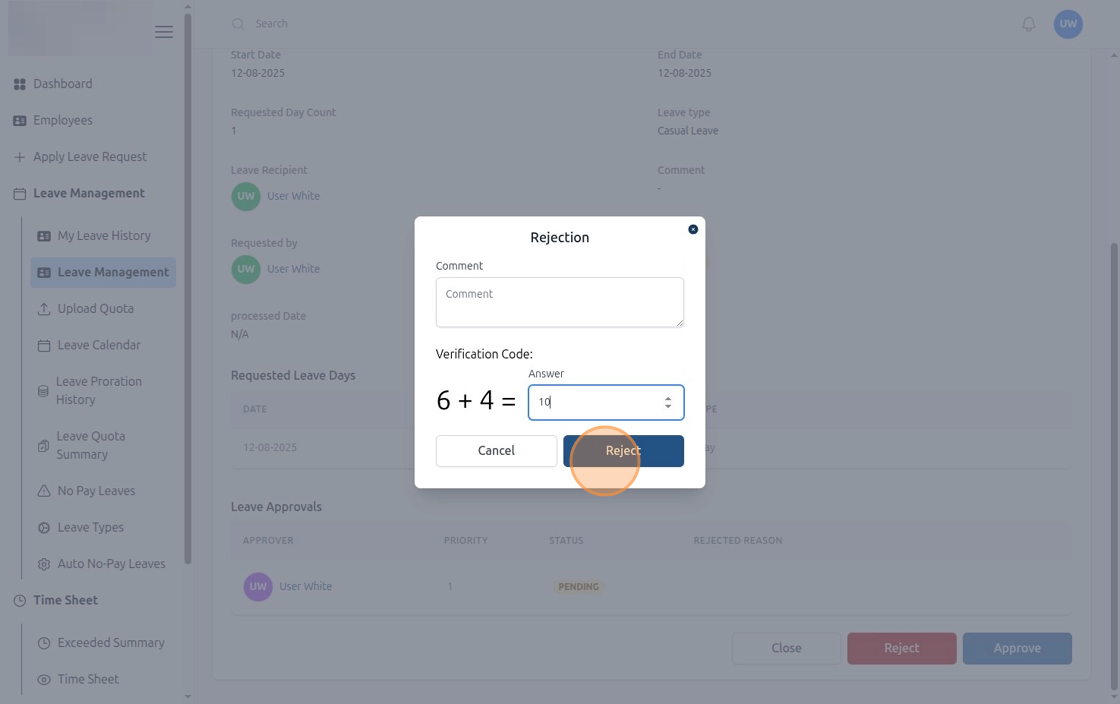
Figure: How to Reject and Withdraw Leave Requests (Step 4)
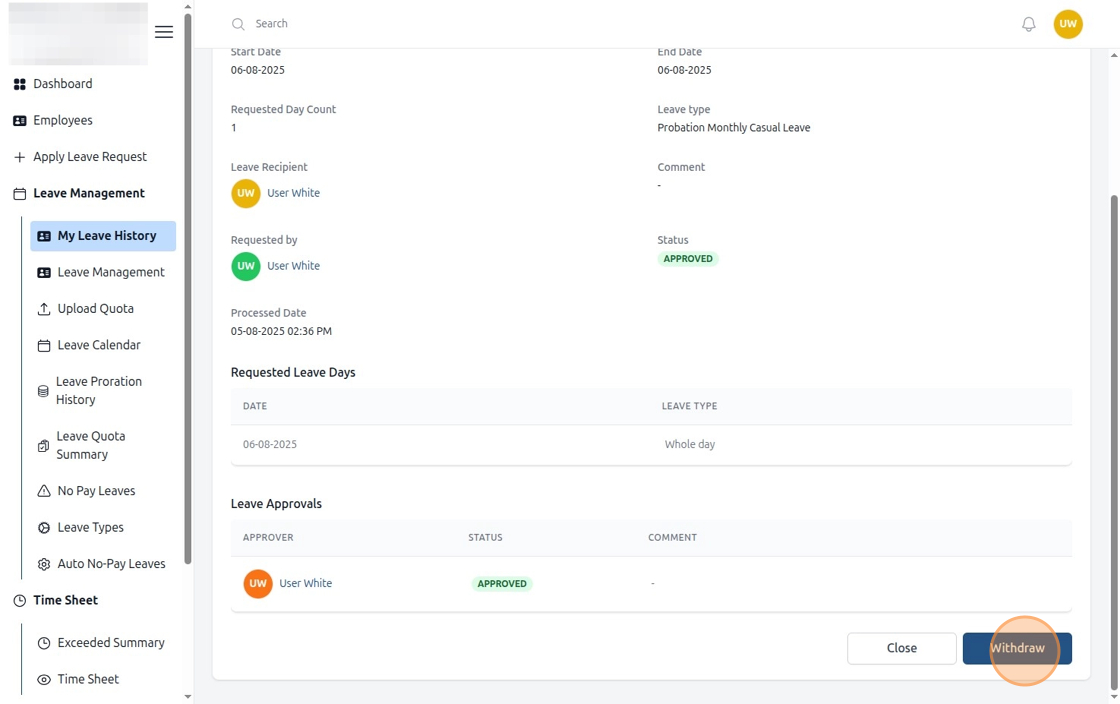
Figure: How to Reject and Withdraw Leave Requests (Step 5)
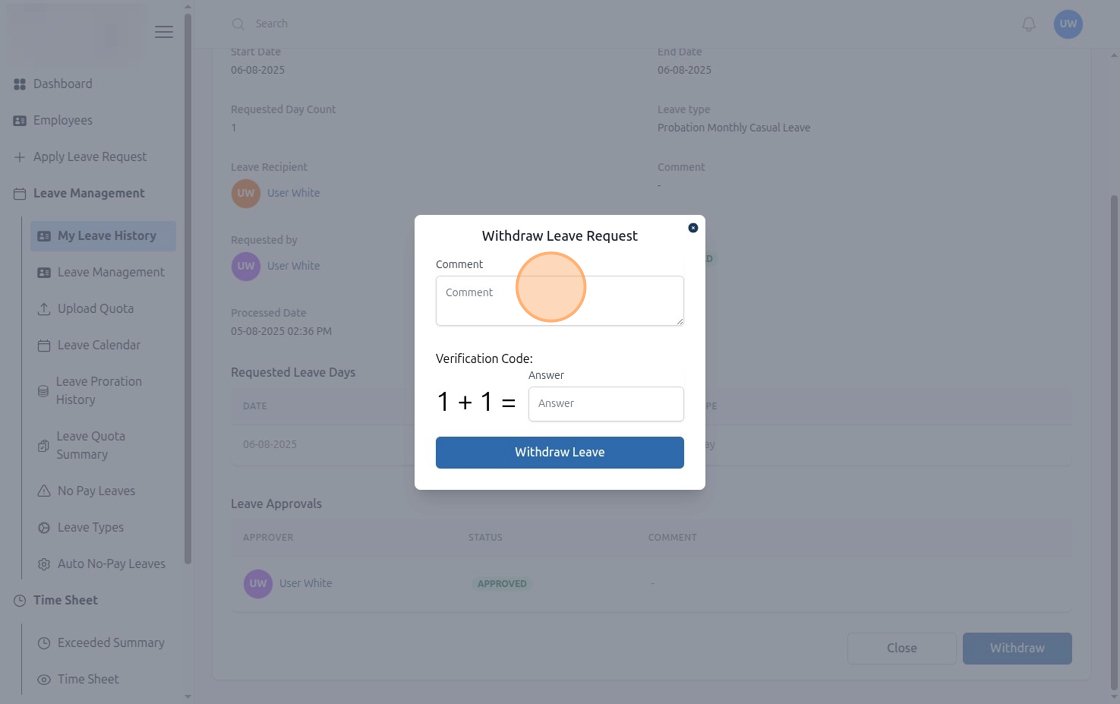
Figure: How to Reject and Withdraw Leave Requests (Step 6)
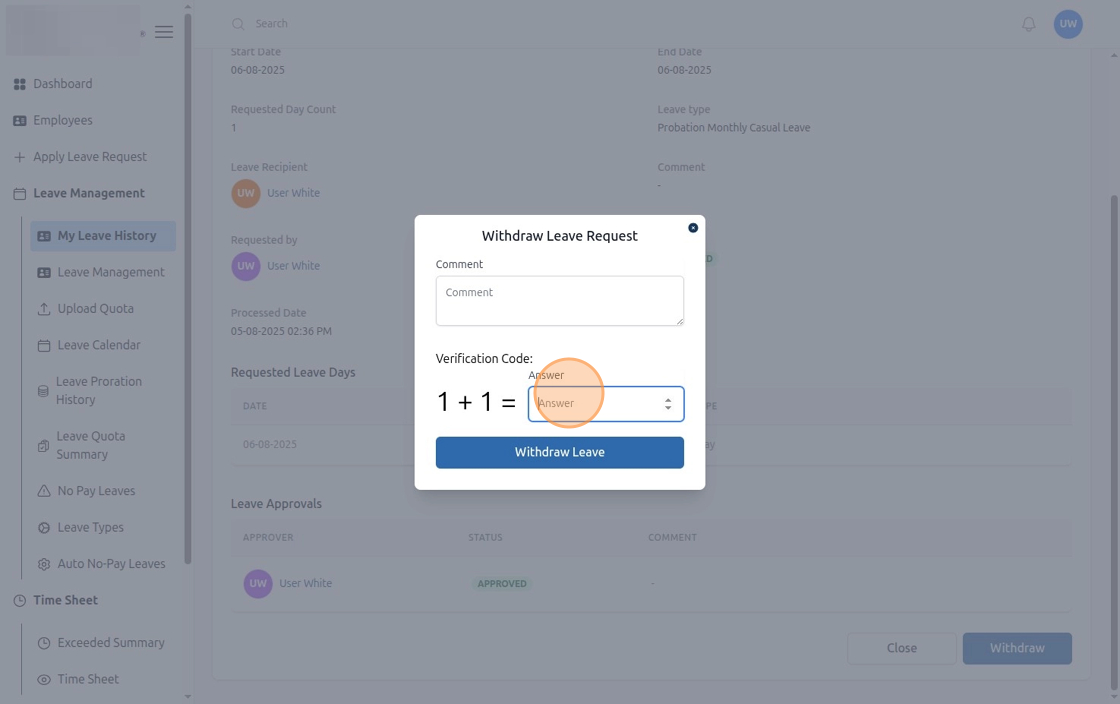
Figure: How to Reject and Withdraw Leave Requests (Step 7)
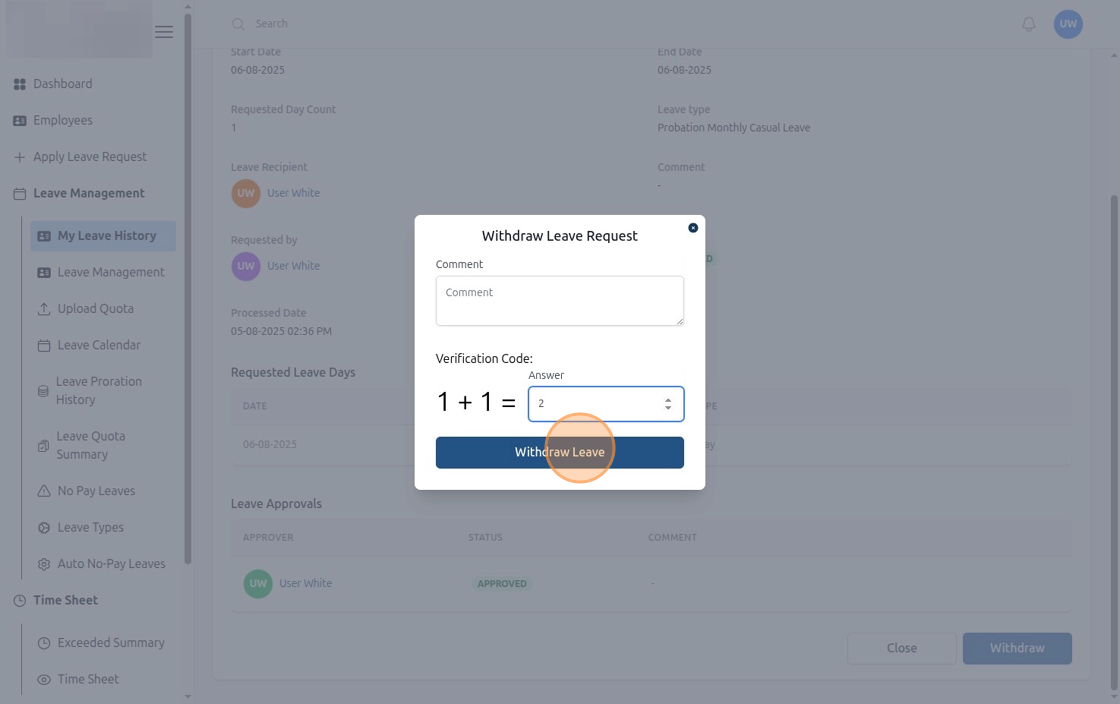
Figure: How to Reject and Withdraw Leave Requests (Step 8)
Bulk Leave Management
HR can efficiently manage multiple leave requests at once, reducing manual effort and ensuring timely approvals.
- Bulk Approvals: Approve multiple leave requests in a single operation.
- Streamlined Processing: Handle large volumes of requests quickly to maintain workflow efficiency.
- Mass Updates: Apply changes such as leave adjustments or cancellations for multiple employees simultaneously.
- Audit & Tracking: All bulk actions are logged for transparency and compliance.
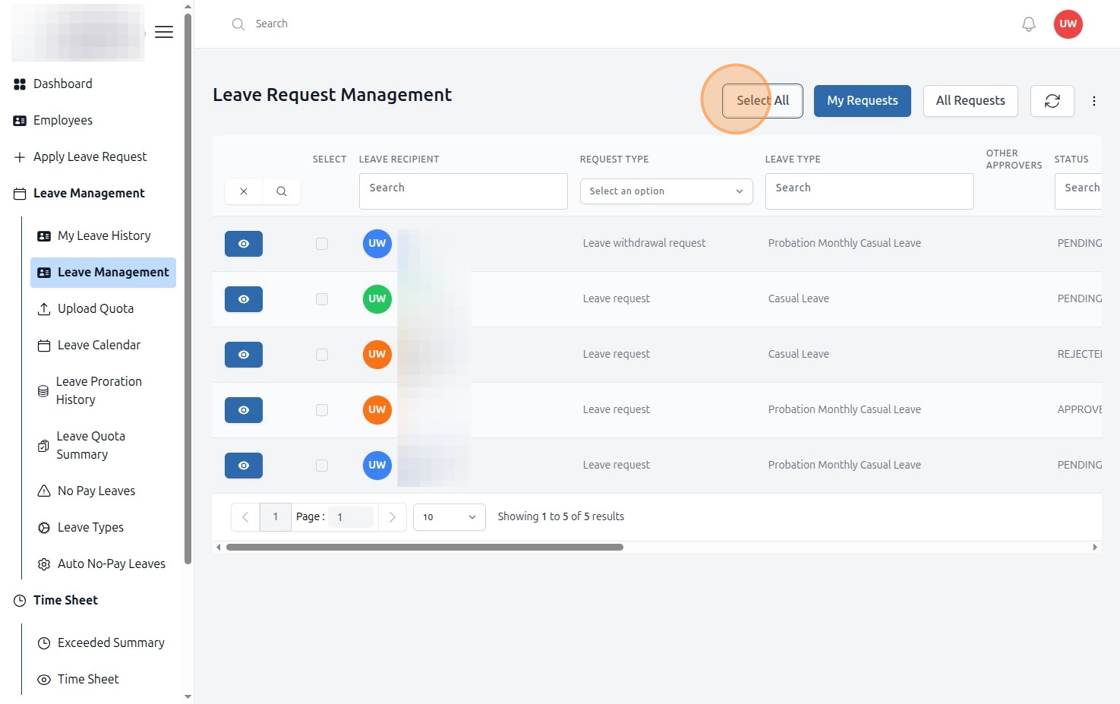
Figure: Approve All Leave Requests in HR Edge (Step 1)
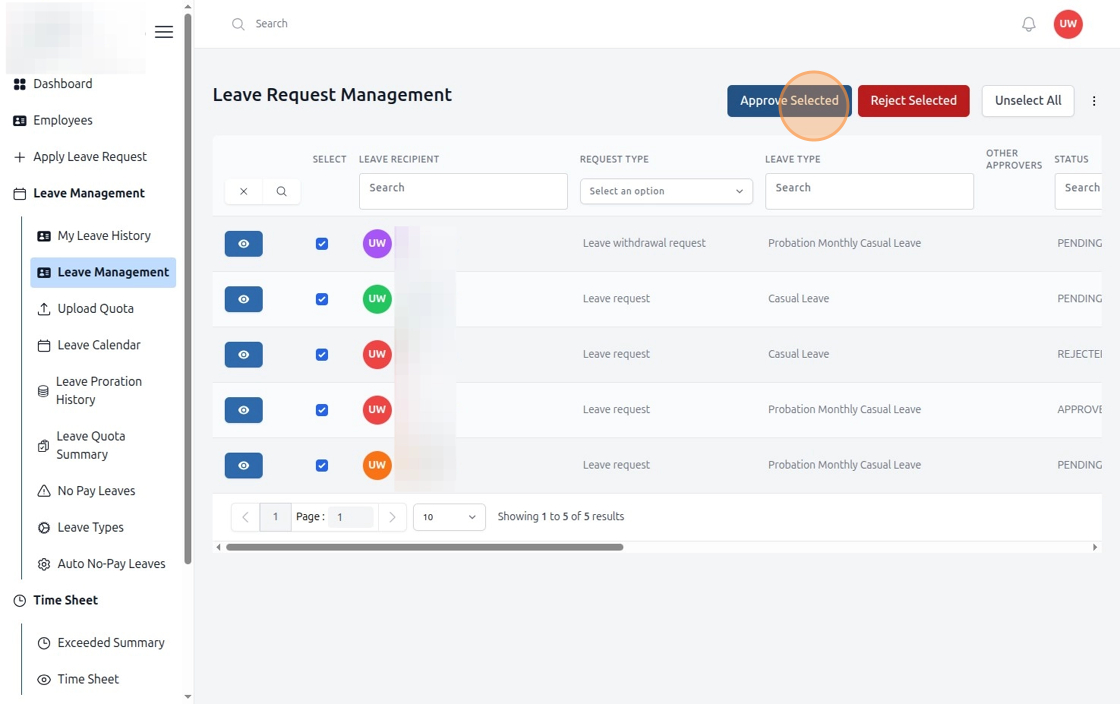
Figure: Approve All Leave Requests in HR Edge (Step 2)
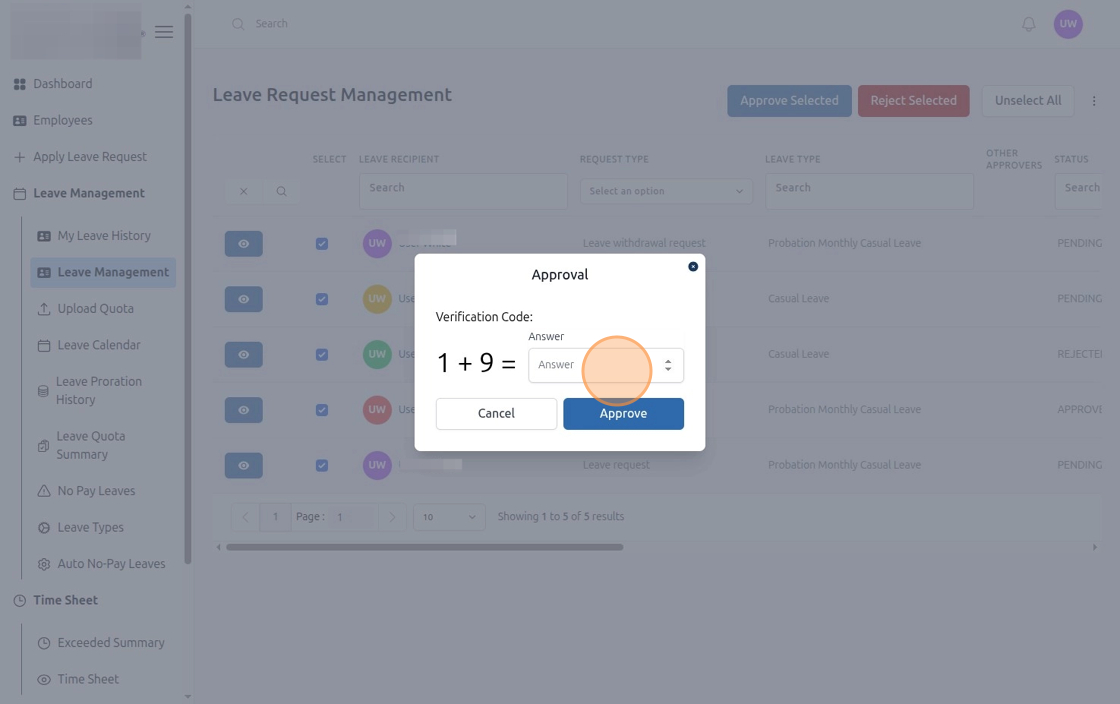
Figure: Approve All Leave Requests in HR Edge (Step 3)
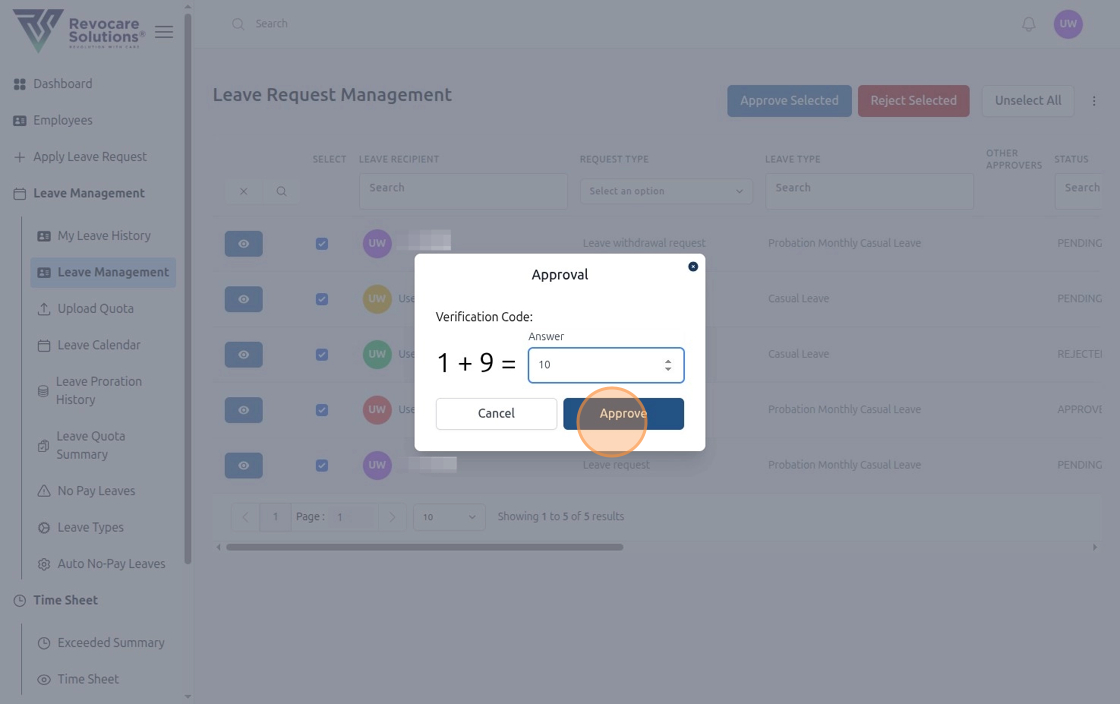
Figure: Approve All Leave Requests in HR Edge (Step 4)